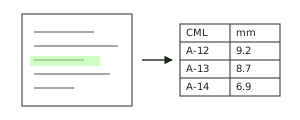
Start with the records you already have.
Bring together the draft invoice, purchase order, job record, service report and relevant invoice history. Agree which files and customer requirements the first workflow will cover.
Focused assistants, automations, document workflows, data tools, and internal software built around the way your team actually works.
AI can help with the first pass. Your rules, source references, exception handling, and people stay part of the system.
For commercial maintenance teams working across job software, accounting tools and customer requirements. We configure and build a review workflow that brings the records together, flags missing or conflicting information, and prepares the files your office approves.

Bring together the draft invoice, purchase order, job record, service report and relevant invoice history. Agree which files and customer requirements the first workflow will cover.
Check required documents and agreed fields. Show missing sign-off information, mismatched job or site references, and conflicting revisions with links to the original records.
Staff resolve the exceptions, confirm the records are current, and approve the exact files. Prepare the required documents and a clear record of the review.
Choose a sample to see how records become a review finding.
Job J-104
Depot AJob J-104
Depot BConfirm the correct service report before preparing the handoff.
Needs reviewThis illustration compares three fixed samples. A real implementation would use agreed customer rules, approved data, and staff review.
Begin with one customer’s rules and an ordinary completed-service invoice workflow. An initial pilot can use agreed file imports, with staff review throughout. Integration depends on the access your systems provide.
First check what your existing software can handle. Compare the pilot with that baseline, including time spent importing, correcting and reviewing. Expand only when the result justifies the ongoing cost.
Your team keeps approval. This service prepares administrative evidence for review. Technical certification, accounting decisions, invoice submission and payment remain with the responsible people and systems. Scope, price and data handling are agreed before a build; results are measured during the pilot.
For commercial maintenance teams preparing completed-job paperwork. Start by email with three details about one recurring handoff.
A short written recommendation: a setting or integration to investigate in your current tools, a small custom pilot worth scoping, or a reason to leave the process as it is. We identify what still needs checking before a build.
If a pilot makes sense, we agree its sample, deliverable, fixed fee and success measures before work starts.
A description is enough to begin. Agree data access before sharing customer records. You can also email jamil@clearanvil.com directly.
Compare shipment records, inspect a mismatch, and work through a review queue.
Select a mismatch and inspect its source.Open demo : Shipment document reviewTurn a fictional inspection enquiry into a clear, reviewable service brief.
Choose “Use sample” to create a brief.Open demo : Service request intakeReview sample report fields, correct a record, and export the structured result.
Run the sample extraction and review a field.Open demo : Inspection report digitizerA useful workflow is more than a prompt. It has a clear input, a bounded job, a way to review the result, and a sensible place in the work your team already does.
Search documents, policies, and internal knowledge with source references and access boundaries that people can inspect.
Route requests, prepare updates, match information, and keep approvals with the people responsible for the decision.
Extract, classify, summarize, and draft from reports or forms while sending uncertain cases to a person.
Bring records into dashboards, alerts, and prioritization views that show sources, assumptions, and exceptions.
Shape an internal application, portal, or AI feature around the smallest useful job instead of replacing every system.
Start with an agreed sample, measure the result, and decide whether the idea earns a larger implementation.
The workflow should make it easier to see what happened, what came from a source, and where a person needs to decide.
That sequence applies whether the deliverable is a small automation, a document queue, a dashboard, or a custom internal tool.
Map one workflow, its inputs, tools, rules, and exceptions.
Use an agreed sample to create the smallest version that can be reviewed.
Compare output with the starting point and inspect failure cases.
Connect more systems only when the first useful result earns it.
Describe the repetitive step, the information involved, and what a good result would look like.
Tell us about the tools, documents, handoffs, and decisions involved. We can explore a focused workflow or pilot by email.
jamil@clearanvil.com